Instagram captions for cafés and coffee shops
Captions for the posts a café makes every week — the coffee, the bake, the room, the team and the news — with five hashtags each and a note on where your city tag goes.
A café posts every day — the captions shouldn't sound like it
The hard part of running a café account isn't the photo; it's the fifth latte of the week and nothing new to say about it. Below are captions for the posts a café makes again and again, grouped by the kind of photo, each with five hashtags to start from. Swap the generic tag for your city or neighbourhood tag (#londoncoffee, #brooklyncafe) when it fits: a local tag identifies the area and can make the post relevant to people nearby.
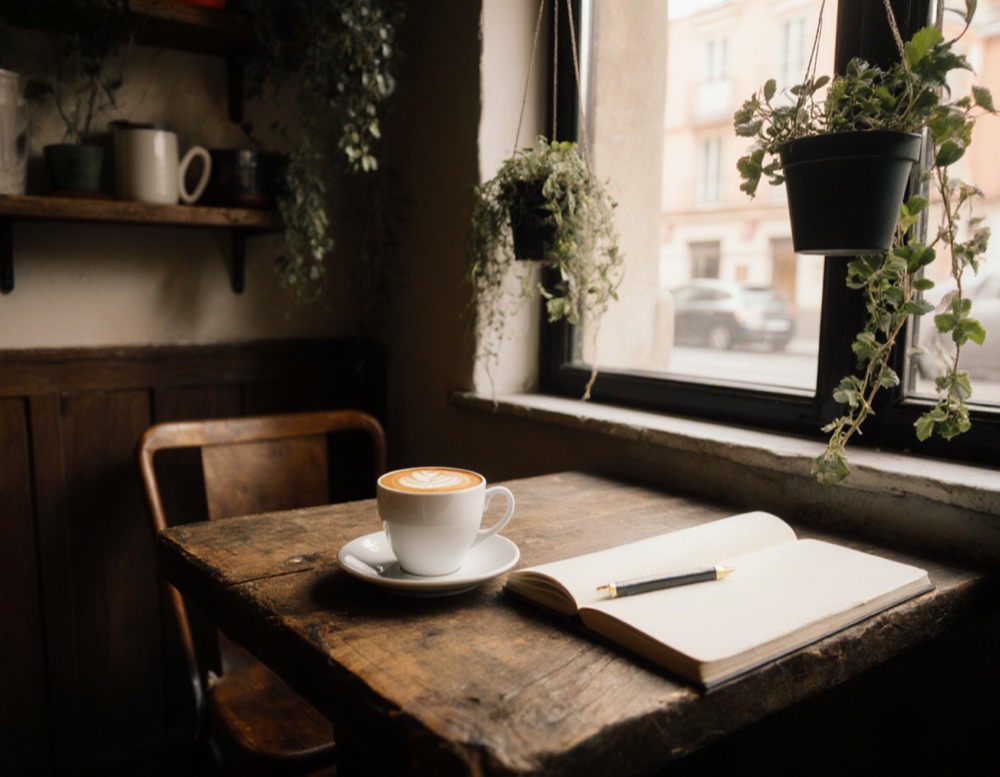
Coffee and latte art
- Today's leaf came out perfect. We're not saying who poured it.
- Your 8 a.m. called. It wants this.
- Same beans as yesterday. Different leaf. Equally good.
- Oat, whole or skimmed — the foam doesn't judge.
- Pour, pause, sip. Repeat as needed.
Food and pastries
- Out of the oven at seven. Usually gone by ten.
- Toast, but make it worth the walk.
- Fresh batch. Warm. Yours if you're quick.
- The croissant that started a queue.
- Breakfast, the way you wish you made it at home.
The room and the window seat
- The window seat is free. Not for long.
- Plants watered, chairs out, kettle on.
- Quiet corner, good light, Wi-Fi password on the counter.
- Come for the coffee, stay for the corner by the window.
- Rainy day plan: this table.
The team behind the counter
- Meet the hands behind your flat white.
- Five years, ten thousand coffees, one very good team.
- First shift for our newest barista. Say hi.
- Behind every good morning there's someone who got up at five.
- The people who remember your order.
Opening hours, new menu and news
- New menu from Monday. Old favourites stay — we're not monsters.
- Open on the holiday, 9 to 3. The coffee doesn't take days off.
- Pumpkin is back. You know what that means.
- Closed tomorrow for a deep clean. Back Thursday, sparkling.
- We now open at 7. You asked; we heard.
Tip: in an announcement, the date and the hours go in the first line of the caption — that is the part people read before they scroll on.
Captions for your own photo
Ready-made lines are a start, but your photo has its own cup, its own table and its own light in it. InTager is an iPhone and iPad app that looks at the picture itself and writes captions for what is actually there, plus a list of hashtags for the same photo to pick from.
- Choose the photo from your gallery.
- Pick a mood — or skip it. The Business mood keeps the tone of a shop rather than a personal post.
- Tap Generate and look through the captions you get back.
- Pick a caption and the hashtags that fit — for Instagram, up to five.
- Tap Copy and paste into your post.
Captions come in any of 17 languages. Ten generations are free, no account is needed, and after that there are one-time packs that never expire — no subscription.
iPhone and iPad · ten generations free · no account · no subscription
Questions
What should a café post on Instagram?
What people come in for and what changes: today's bake, the coffee, the room, the people behind the counter, and news — hours, menu, closures. Repeating the same kinds of posts is fine; the captions are what keep them fresh.
Which hashtags should a café use?
Tags for what is in the photo, like #latteart or #croissant, and a local tag: a city or neighbourhood tag identifies the area and can make the post relevant to people nearby. Instagram allows five per post.
How long should a café caption be?
Short enough to read before scrolling on. Put the useful part — a date, a price, an opening time — in the first line.
Can I use these captions for my café?
Yes. The captions and hashtags on this page are free to copy, change and post anywhere, with no credit needed.
Is there an app that writes captions for my café's photos?
InTager is an iPhone and iPad app that looks at your photo and writes several captions and a list of hashtags for it, in 17 languages. Ten generations are free and no account is needed.
More caption guides
- How to choose five hashtags for a photoInstagram now allows five hashtags per post. A method for picking them, with three worked examples.
- Christmas captions and hashtagsTree, lights, family dinner, gifts, pets and snow — captions and tag sets for each.
- New Year's Eve captionsFireworks, the countdown, the party and the quiet morning after.
- Captions for handmade sellersProduct shots, the making of it, new drops, packing orders and markets.
- Halloween captions and hashtagsCostumes, pumpkins, parties, decor, pets and treats.